Shadow Weather
Shadow Weather LLCWeather
4.51.54K Reviews
- Version
- 3.6.0
- Installs
- 100.00K
- Age Rating
- Everyone
Screenshots
Our Review of Shadow Weather
 Analysis by Appyee
Weather apps are only useful when their information reaches me at the moment I need to make a decision. A forecast can look reassuring at home, then become much less helpful when I’m deciding whether to leave for a walk or wait out a storm. Shadow Weather is a weather app from Shadow Weather LLC that puts storm awareness and local conditions at the center of the experience. I find it most worthwhile when I want more than a quick temperature check, while keeping in mind that current weather information depends on being able to connect.
When a fresh connection matters
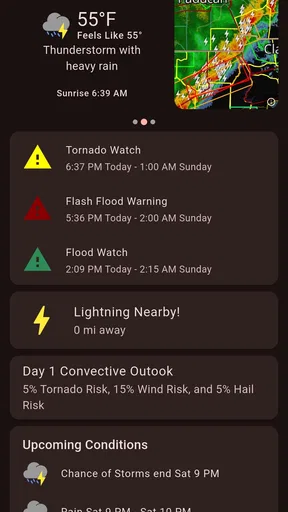
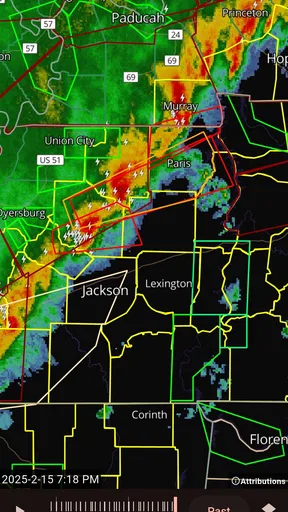
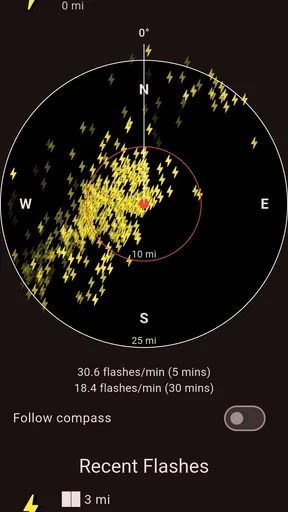
The app’s appeal is clearest when the weather is changing and I want to check conditions again before acting. A live lightning tracker and severe-storm tracking are useful ideas in exactly that situation: they encourage me to look at what may be developing nearby rather than treating the morning forecast as a promise for the whole day. For a commute, outdoor errand, or changing afternoon plans, that extra check can help me decide whether to leave now, take shelter, or postpone.
There is a practical trade-off, though. Live conditions and radar-style views are most valuable when the app can refresh, so I would check the relevant screen while I have a reliable connection rather than wait until I am already in a poor-signal area. I would also treat an app as one input, not as a substitute for official emergency alerts or local safety instructions during dangerous weather. A storm view can help me stay aware; it cannot make a risky route safe.
Useful in the small gaps of the day
I can see this fitting naturally into short routines: checking before walking the dog, looking again before cycling home, or deciding whether a picnic needs a backup plan. The useful habit is not to keep refreshing every few minutes, but to check when a decision is approaching. For example, if clouds build while I am out, I would look at the storm information before choosing whether to continue or head indoors.
That makes the app a better match for people whose plans depend on local changes than for someone who only wants to glance at today’s high and low. If I were planning a long trip across several regions, I would still consult a broader forecast and reassess along the way; a locally focused check is not a complete travel plan. Similarly, anyone who needs dependable information in a place with patchy connectivity should make a plan before leaving coverage, rather than assume a live tracker will remain current.
What to do when information stops refreshing
Weather apps can feel confusing when a screen looks unchanged, because it is not always obvious whether the conditions are steady or the information has simply not refreshed. My sensible approach is to check the time context and connection, then try again somewhere with a stronger signal. If the decision concerns severe weather, I would cross-check with an official alert source instead of repeatedly relying on one screen.
This is also why I would avoid interpreting a quiet-looking map as proof that nothing is happening. A tracker is a useful visual aid, but it is still only one part of a safety decision. Keeping that distinction in mind makes the app more useful without asking it to do more than a phone-based weather tool can reasonably do.
Keeping mobile data in perspective
For people who watch data use, I would make the app part of a deliberate check-in routine rather than leave weather screens open while moving around. Looking at current conditions when planning a trip, then checking again when circumstances change, is a more practical habit than repeatedly refreshing out of uncertainty. Storm-tracking views are the feature I would reserve for moments when they could actually change what I do.
Shadow Weather is free to install, with optional in-app purchases priced from $0.99 to $12.99 per item. That gives curious users a way to try the core experience before deciding whether any paid option is worthwhile. I would not treat a purchase as necessary simply to answer the basic question of whether the weather might affect my plans; first I would use the app as it is and see whether its particular mix of local weather and storm awareness suits my routine.
Have you ever found yourself staring at a sky full of clouds, wondering if it's going to pour or just tease you with a sprinkle? Well, that's exactly where Shadow Weather steps in to save the day! This nifty app is here to make sure you never get caught off guard by the whims of Mother Nature.
The First Impressions
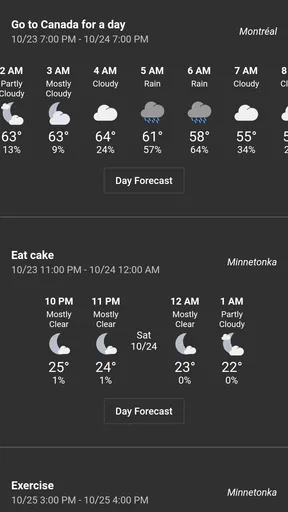
Firing up Shadow Weather for the first time feels like stepping into a digital meteorologist's lair. The interface is sleek and modern, with a dark theme that makes everything pop. It's clear the developers put a lot of thought into creating a user-friendly experience. The app greets you with a quick setup process, asking for your location to tailor the weather updates to your needs. And trust me, it doesn't bombard you with unnecessary permissions, which is a relief in today's app world.
Features That Shine
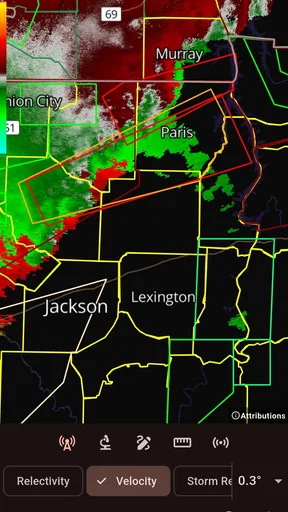
Once you're in, the app offers a plethora of features that make it stand out in the crowded weather app market. First off, the radar feature is top-notch. It’s like having a mini Doppler radar right in your pocket! You can zoom in and out to see storms rolling in or dissipating, which is super handy if you're planning a weekend hike or a picnic.
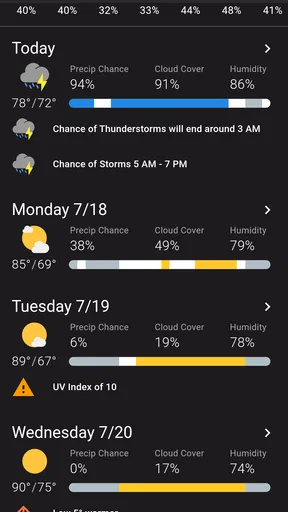
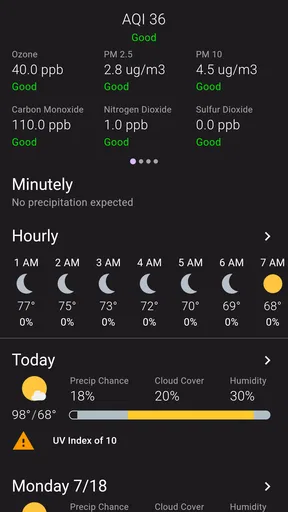
One of my favorite features? The hyperlocal forecasts. It's not just about knowing if it will rain or shine; it's about knowing when. Shadow Weather gives you minute-by-minute updates, so if you need to dash to the car before a downpour, this app's got your back. And let’s not forget the detailed breakdown of temperature, wind speed, and humidity. It's like having your personal weather station right on your phone.
Customization is Key
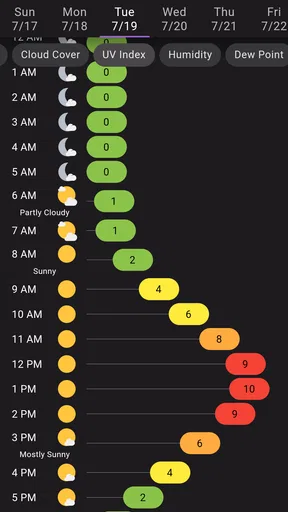
Another aspect of Shadow Weather that I absolutely love is the customization options. You can tweak the settings to show the information you care about most. Whether it’s the UV index for a day at the beach or air quality for a morning jog, you get to see what matters to you. Plus, the notifications are customizable too. You can choose to get alerts for severe weather or just a gentle nudge reminding you to grab an umbrella.
How It Stacks Up
In comparison to other weather apps I’ve tried, Shadow Weather really holds its ground. The data is reliable and the app runs smoothly without any hiccups. It’s clear that the developers are focused on providing a seamless user experience. Plus, there are no annoying ads to disrupt your weather-checking routine, which is a massive plus.
A Few Considerations
Of course, no app is perfect. While Shadow Weather’s dark theme is visually appealing, some users might prefer a lighter interface option. Also, while the app is rich in features, it might be a tad overwhelming for someone just looking for basic weather information. But then again, isn’t it nice to have more options than you need?
Final Thoughts
All in all, Shadow Weather is a fantastic app that caters to both weather enthusiasts and casual users. Its accuracy, feature-rich environment, and user-friendly design make it a standout choice for anyone wanting to keep tabs on the weather. Whether you’re planning an outdoor adventure or just want to know if you need a jacket before heading out, this app has you covered. So go ahead, give it a whirl, and never let the weather catch you by surprise again!
Who will get the most from it
I would recommend this to someone who regularly makes outdoor plans and wants weather information to help shape them, especially when storms are a concern. Hikers, people walking or cycling around town, and anyone coordinating an outdoor gathering may appreciate being able to look beyond a simple daily summary. The value is less about collecting every possible weather detail and more about having a reason to check conditions before a plan becomes inconvenient or unsafe.
By contrast, if all I need is a quick answer about whether to bring a coat, my phone’s built-in weather view may already be enough. Shadow Weather’s richer approach asks me to pay attention to more information. That is a benefit when I use it intentionally, but it can be needless complexity for someone who rarely changes plans because of the forecast.
A more careful way to use the forecast
One useful habit is to separate planning from confirmation. I would check the forecast earlier to decide whether an activity is sensible, then use the storm information closer to departure if the sky or conditions have changed. That avoids treating one glance as a guarantee. For a hike, for instance, the question is not just whether rain is expected at the trailhead; I would also consider whether changing weather could affect the route and whether I can get updates once I am away from reliable coverage.
For an ordinary workday, I might check before leaving home, then again before heading back if the afternoon has turned unsettled. That small second check is more useful than staring at a forecast throughout the day, and it keeps the app tied to an actual choice: walk, drive, wait, or bring rain gear. It is a simple workflow, but one that makes a weather app feel like a practical tool rather than another screen to monitor.
How it compares with familiar weather apps
Many standard weather apps are designed for a fast glance at temperature, daily highs and lows, and a general chance of rain. Shadow Weather makes more sense when I want to investigate changing conditions and pay attention to storm activity. That focus can be a meaningful difference for outdoor plans, but it does not automatically make it the best choice for everyone. A simpler app may be quicker for basic checks, while an official weather service is the better companion when I need authoritative warnings and safety guidance.
I would also avoid judging any forecast tool solely by how detailed its screen appears. More layers and readings can help me ask better questions, but they do not remove uncertainty from weather. Conditions can shift, and local forecasts are not a promise about the exact spot where I will be later. I find the app most helpful when I use its detail to make a cautious decision, not when I expect a precise prediction to settle every doubt.
Practical details before installing
The app is rated for Everyone, and its current version is 3.1.0, with a minimum operating-system requirement of 7.0. It has an average rating of 4.6 from around five thousand ratings, and has passed one hundred thousand installs. Those figures suggest that it has found an audience, but I would still judge it by whether its storm-focused approach suits my own habits rather than by popularity alone.
It was released on September 1, 2019, and the rating history includes around 1.5 thousand written reviews. Those details give a little context for its presence as an established weather app, but they do not tell me how it will perform in every location or on every phone. I would install it, check whether its local information is useful where I live, and then decide whether I want to make it part of my regular routine.
Final connectivity verdict
Shadow Weather is most compelling when I can connect, check what is developing, and use that information to make a timely decision. Its storm awareness gives it a clearer purpose than a bare-bones forecast, while its extra detail may be more than a casual user wants. If I were often offline or needed emergency-grade certainty, I would not make it my only source; if I like checking local conditions before outdoor plans, it is an appealing free app to try. Overall, I would keep it for the moments when changing weather matters, and pair it with sensible preparation rather than expecting any phone app to control the forecast.
Verdict
Strengths of Shadow Weather
- Highly accurate weather predictions.
- Detailed radar and map features.
- Customizable alerts for severe weather.
- User-friendly interface design.
- Minimal battery consumption.
Limitations of Shadow Weather
- Limited free version features.
- Ads can be intrusive at times.
- Occasional slow loading maps.
- No offline mode available.
- Subscription required for premium features.
Similar Picks in This Category
View All
Weather - By Xiaomi
Xiaomi Inc.4.1

Weather & Radar Forecast
WetterOnline4.8

Weather
OneLouder Apps4.6

AccuWeather: Weather Radar
AccuWeather3.6

The Weather Channel - Radar
The Weather Channel4.6

1Weather Forecasts & Radar
OneLouder Apps4.3
Frequently Asked Questions
What features make Shadow Weather unique compared to other weather apps?
Shadow Weather stands out with its hyper-local weather tracking, providing detailed precipitation forecasts and real-time storm alerts tailored to your exact location. It also features an intuitive radar system, customizable notifications, and an easy-to-navigate interface, making it a favorite among users who need precise weather updates.
Is Shadow Weather available for both Android and iOS devices?
Yes, Shadow Weather is available on both Android and iOS platforms. It can be downloaded from the Google Play Store for Android users and the Apple App Store for iOS users, ensuring a wide accessibility for different device owners looking for reliable weather information.
Does Shadow Weather require a subscription for full access to its features?
Shadow Weather offers both free and premium versions. The free version provides basic weather updates, while the premium subscription unlocks advanced features such as enhanced radar capabilities, ad-free experience, and additional customization options. Users can choose the version that best suits their needs.
How accurate is the weather data provided by Shadow Weather?
Shadow Weather is known for its high accuracy due to its use of multiple data sources, including NOAA and other global weather models. Its hyper-local tracking ensures precise forecasts, especially for precipitation and storm alerts, making it a reliable choice for users who depend on accurate weather predictions.
Can users customize notifications in Shadow Weather?
Yes, Shadow Weather allows users to fully customize their notifications. Users can set alerts for various weather conditions such as severe weather warnings, rain, snow, or temperature changes, ensuring they receive timely updates relevant to their preferences and location.
